
Memory

Responsible for All Aspects
Software / Maya, Substance Painter, Photoshop, Nuke
Renderer / Arnold
This is an integration project for the technical compositing class with Professor Bridget Gaynor.
I decided to use Kendama as the integrated object. Here are the photos I took for this project.


Then I I did the basic camera match in Maya:


and started creating render layers to composite in Nuke.

The shadow plate photo I took does not match the clean plate due to the reflection of the sky on the wooden ground, so I used Photoshop to repaint it, and it worked well.


L: Original Shadow Plate / R: After Photoshop painting
I also added layers to rebuild the reflection on the ground and updated the shadow projection.
For the bounce color on the ball, I created different occlusion masks.
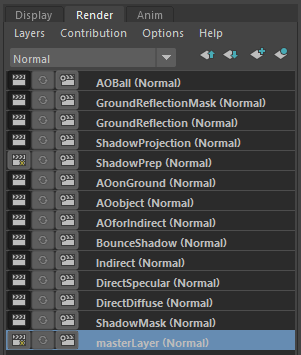
Render Layers
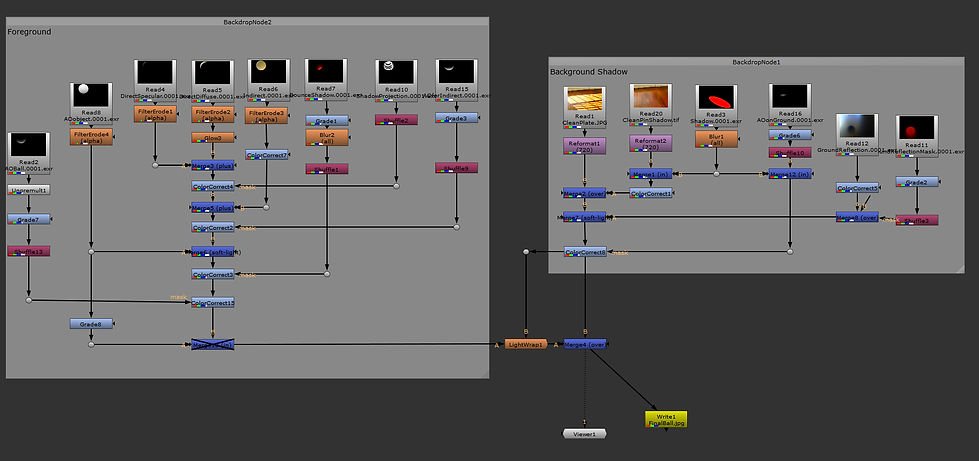
Nuke Tree
Here is the final render of the ball.


Now I started to build the integration scene with the Kendama. For the textures, they are painted in Substance Painter.

Since I render the Kendama in one scene, I added an Object Mask layer to divide the Kendama’s ball and body so that I can color correct them separately.

Render Layers
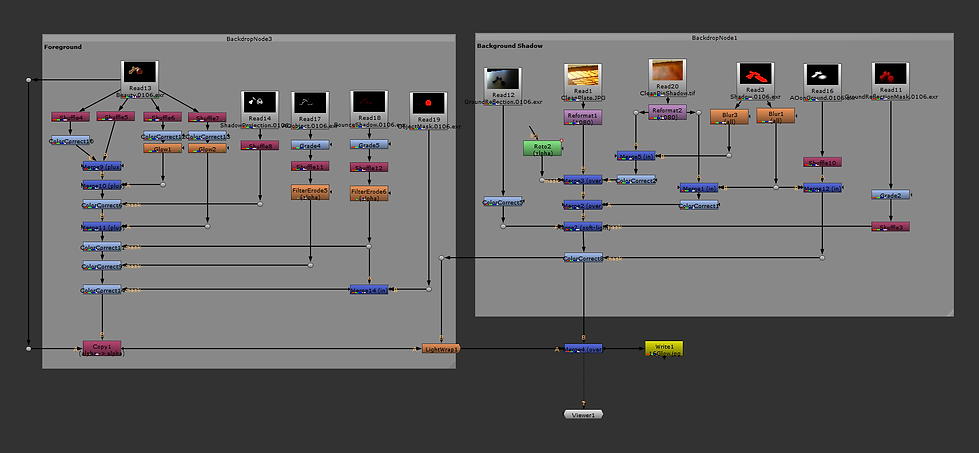
Nuke Tree
Final Render & Buildup